Event Videography
Event Videography Checklist for Toronto Organizations
The checklist an organizer can work through with a videographer four weeks out, one week out and on the day.
- Author
- By Rosa Park
- Published
- Updated
- Reading time
- 7 minute read
The short answer
The four things that decide whether event footage is usable are the audio source, the run of show, camera positions and lighting. Confirm a sound desk feed, get the schedule in writing, agree where cameras can stand before doors open, and know which rooms are too dark to film in. Everything else on this list is easier than fixing any of those afterwards.
Event footage cannot be reshot. That single fact is what makes the preparation worth doing, and it is why most of this checklist happens weeks before anyone arrives.
Four weeks out
- Decide what the film is for. A highlight film for next year's marketing and a full recording of every session are different jobs with different costs. Pick the primary one.
- Book the videographer around the programme, not the venue booking. The hours that matter are the keynote, the panel and the busiest floor hour, not the full day.
- Get the run of show in writing and ask to be told when it changes, because it will.
- Confirm who owns the footage and what it can be used for. Sponsors, speakers and venues can all have a view.
- Sort out consent. A line on the registration page and signage at the door covers general attendee filming in most cases. Named interviews need their own release.
Two weeks out: audio
Audio is the difference between footage you can publish and footage you cannot. Camera microphones in a room with three hundred people record the room, not the speaker.
- Confirm there is a sound desk and that a feed can be taken from it. This is the single most valuable thing on the list.
- Ask what output the desk provides, and put the videographer in touch with the AV supplier directly rather than relaying it.
- Where there is no desk, plan for a wireless microphone on each speaker, and build handover time into the schedule between sessions.
- Confirm that a backup recorder is running. Desk feeds fail, and there is no second take.
- For panels, confirm whether each panellist has their own microphone or whether they are sharing.
One week out: positions, power and light
- Agree camera positions with the venue and with whoever is running the room. A tripod in a fire lane will be moved during the keynote.
- Confirm access to power near those positions, and confirm whether cables need to be taped down.
- Ask about the lighting. Uplit stages, coloured wash and screens behind speakers all change how a room has to be filmed, and it is better to know before arrival.
- Confirm arrival time for setup. An hour before doors is the minimum for a multi-camera setup.
- Ask whether the venue restricts drone, ladders or anything on a stand in walkways.
- Identify the three or four people who must appear in the film, and tell them they will be approached.
On the day
- Record room tone before the doors open. It is thirty seconds of work and it saves the edit.
- Film the room empty and set. That frame almost always opens the highlight film.
- Cover the arrival and the first fifteen minutes. Energy at the door is what a highlight film is made of.
- Get wide, mid and close coverage of every session, so the edit can cut rather than sit on one angle.
- Film reactions, not just speakers. An audience laughing is more persuasive than a slide.
- Grab short interviews during the break while people are still in it, rather than at the end when they are leaving.
- Photograph or note the sponsor signage you are contractually required to show.
Delivery: what to ask for first
The most valuable deliverable is the one you can publish while the event is still current. Ask for a short social cut within 48 hours, then the full highlight film, then the session recordings. Reversing that order is common and it wastes the window.
- A 30 to 60 second vertical cut for social, within 48 hours.
- The highlight film, one to three minutes, within one to two weeks.
- Full speaker and session recordings with the desk audio.
- A set of stills pulled from the footage, if photography was not booked separately.
- Captions on anything that will be published on social, because most of it is watched with the sound off.
One camera or two
Roaming coverage of a show floor is better on one camera, because it moves. Anything you plan to publish in full, a keynote or a panel, needs two so the edit can cut between a wide and a close angle without a jump. If the budget only stretches to one, spend it on the sessions you will publish rather than on the floor.
For a walk through the schedule before your event, see event videography in Toronto or contact us with your run of show.
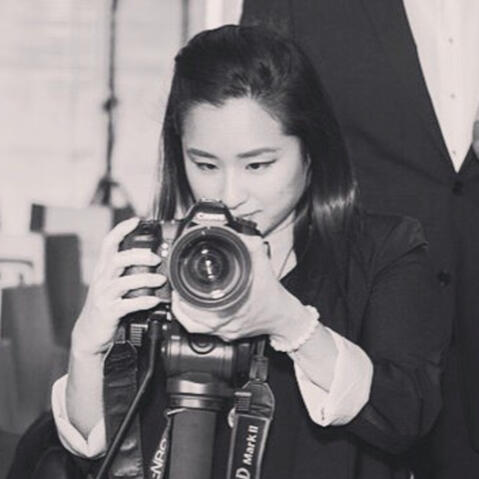
Written by
Rosa Park
Rosa films and photographs everything on this site herself. She works on corporate and documentary video across Toronto and the GTA, and on real estate and lifestyle photography around Bancroft. More about Rosa.
Services this guide relates to
Event Videography
Filming a live event as it happens and editing it into a highlight film, full speaker recordings and short social versions.
Video Production
Video production covering pre-production, filming and editing for organizations across Toronto and the Greater Toronto Area.
Corporate Video
Video made for an organization's own communication: brand films, company profiles, recruitment, training, internal messaging and product explainers.
Related articles
- Corporate Video
Corporate Video Production Timeline: What to Expect
How long a corporate video actually takes, stage by stage, and where the delays come from.
6 minute read
- Video ProductionOutline
How Much Does Video Production Cost in Toronto?
An outline of the cost article. The structure and the cost factors are settled. The published rate bands are not, because they have to come from Rosa's real quoting history rather than a guess.
6 minute read
- Interview Production
How to Prepare for a Corporate Video Interview
Practical preparation for anyone being filmed for a company video: what to think about, what to wear, and what to stop doing.
7 minute read
Contact us about your project
If this guide left a question unanswered, ask it. A short reply is usually faster than reading three more articles.